



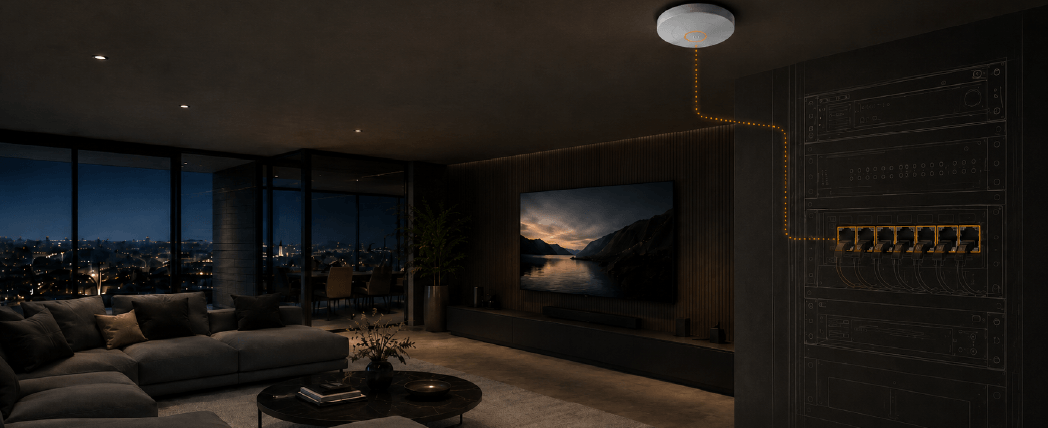
Wi-Fi 6E and Wi-Fi 7 raise the bar for the wired infrastructure behind them. On new installations, Cat6A is the straightforward choice. On existing installations, the answer depends on what is already in the wall. Cat6 can support both standards within distance and installation limits. Cat5e may support limited multi-gig scenarios, but it should not be treated as a reliable design basis for Wi-Fi 7 backhaul.
What Wi-Fi 6E and Wi-Fi 7 Change for the Wired Network?
The enduring irony of Wi-Fi is that the ubiquitous wireless technology requires wired infrastructure to operate.
The additional radios in Wi-Fi 6E and Wi-Fi 7 increase demand on that very infrastructure. Higher throughput places greater pressure on the cabling, switches, switch uplinks and PoE delivery in the network. So, if existing infrastructure is inadequate, it is questionable that a wireless upgrade will perform reliably, regardless of the new device being connected.
Therefore, the real question becomes whether the infrastructure can handle the full network demand all at once because it’s a team effort between the cables and switches. Getting it right is very much a design-stage decision because once the cabling is installed, it is likely to remain in place for a long time. Inadequate cabling can’t be compensated for by swapping out active network equipment, it’s going to require expensive re-cabling work.
Where the Infrastructure Starts to Matter
Wi-Fi 6E in Practice
Wi-Fi 6E adds the 6 GHz band alongside the existing 2.4 GHz and 5 GHz bands. That additional spectrum delivers more wireless capacity and potentially cleaner airspace. The benefits are most noticeable in higher-density or congested environments, such as city-centre apartment blocks and commercial installations. In residential installations, the real-world gains are often much more modest.
It’s important not to oversell Wi-Fi 6E on headline throughput figures. Honest expectation-setting with clients is usually more valuable than chasing specification-sheet numbers.
The more important changes sit on the infrastructure side. Tri-band Wi-Fi 6E access points place greater demand on everything behind them: switching, uplinks between switches and PoE budgets. Many Wi-Fi 6E access points operate within 802.3at (PoE+), though higher-performance models may require 802.3bt (PoE++). Requirements vary by vendor and radio configuration, so make sure you verify against the AP datasheet before specifying switches or calculating PoE budgets.
Wi-Fi 7 Throughput and Uplink Reality
Wi-Fi 7 attracts significant marketing noise, but unsurprisingly the headline throughput figures are theoretical maximums. Real-world performance is considerably lower. The more useful measure is aggregate throughput from a single access point, and here Wi-Fi 7 does offer something tangible. Under real load, it can exceed 1 Gbps over the air and begin to saturate a standard gigabit backhaul. That shifts the conversation towards infrastructure. Most Wi-Fi 6E and Wi-Fi 7 access points currently ship with 2.5GBASE-T uplinks, with 5G and 10G appearing on higher-end models.
Wi-Fi 7 also introduces Multi-Link Operation (MLO), which allows a device and access point to transmit and receive simultaneously across multiple bands. In practice this can reduce latency and improve scheduling under load. However, how well it works depends on both the AP and the client device, and implementation varies between vendors.
Cabling, switching, uplinks and overall network capacity become the relevant variables in Wi-Fi deployment design. In most homes, the internet connection is not the constraint; internal network traffic is. Multiple simultaneous devices, streaming, gaming and smart home traffic all add pressure, and in busier homes the local network can become the bottleneck well before the broadband connection. That gap will narrow as internet speeds continue to rise, but for now the infrastructure conversation is the more pressing one.
The IoT Reality
It’s worth being crystal clear that most IoT devices still use the 2.4 GHz band only. Sensors, thermostats, smart locks and lighting controllers typically use this band by design. The range is greater, power efficiency is better, and crucially, it’s a more mature technology, so the cost of the chipsets is lower. That lower cost flows directly into the price of the devices themselves.
That does not make IoT traffic irrelevant simply because it does not directly benefit from Wi-Fi 6E or Wi-Fi 7 speeds. A large number of IoT devices on a system still places a meaningful load on the access points and uplinks, and that IoT traffic shares the same backhaul, switching and network infrastructure as everything else. The backhaul still needs to be correctly specified to handle the combined IoT load, alongside the higher-throughput traffic elsewhere on the system.
| Device Type | 2.4 GHz | 5 GHz | 6 GHz (6E/7) | Notes |
|---|---|---|---|---|
| Smartphones, recent flagship | Yes | Yes | Increasing | 6E/7 models from around 2022 onwards. |
| Laptops, Wi-Fi 6E/7 certified | Yes | Yes | Yes | Most 2023+ premium models. |
| Smart TVs / streaming devices | Yes | Yes | Rarely | Most are still limited to Wi-Fi 5 or Wi-Fi 6. |
| IoT sensors / smart home devices | Yes | No | No | 2.4 GHz only, by design. |
| Smart lighting / thermostats / locks | Yes | No | No | Typically 2.4 GHz or Zigbee/Z-Wave. |
| IP cameras, residential | Yes | Some | No | Primarily 2.4 GHz, with dual-band models increasing. |
Note: 6 GHz support is expanding across flagship and premium devices. Most IoT, lighting and sensor products remain 2.4 GHz only by design. The residential IP camera market is shifting towards dual-band but remains predominantly 2.4 GHz.
More broadly, falling chipset costs mean 5 GHz support is beginning to appear in more demanding IoT categories. Low-power sensors, thermostats and locks are unlikely to shift soon, but the device landscape is moving, and this table will evolve with it.
The Cabling Decisions: Cat6, Cat6A and Existing Infrastructure
Do I need Cat6A for Wi-Fi 6E and Wi-Fi 7?
For new Wi-Fi 6E and Wi-Fi 7 installations, it generally makes sense to favour Cat6A over Cat6. There is little practical reason to specify Cat6 on new infrastructure projects unless the endpoints are specifically limited to 1 Gbps and the runs are short.
Cat6A supports 10 Gbps up to 100 metres and provides greater performance margin under sustained PoE loads. The material cost difference between the two is relatively small, particularly once the labour involved in installing the cable is factored in. The only practical downside of Cat6A is the larger bend radius resulting from its construction. Specifying Cat6A removes infrastructure uncertainty from future upgrade discussions. If the highest-specification cabling is already in place then future upgrades become a matter of replacing active equipment, rather than revisiting the cabling.
Kordz ONE Cat6A Cable (23AWG) is well suited to home-run applications, supporting 10G to 100m and 802.3bt 90W. If the run is under 50m then Kordz PRS SlimCat Cat6A Cable (28AWG) is a credible choice and much easier to install than its thicker counterpart. For shorter runs and 1 Gbps endpoints where 10G is not required, Kordz ONE Cat6 Cable remains a practical choice, supporting 10 Gbps to 55m and 802.3bt 90W.
Can existing Cat6 support Wi-Fi 7?
Cat6 supports 10 Gbps to a point, but distance matters. In real-world conditions, 10 Gbps performance is usually reliable to around 37 metres with 55 metres (which is the certified limit) sometimes achievable in well-installed environments, though this is conditional on installation quality and alien crosstalk, and is not universally guaranteed. Beyond that, runs should realistically be considered marginal.
As ever, check run lengths at survey. If the infrastructure is within these limits, existing Cat6 is generally adequate for Wi-Fi 6E and Wi-Fi 7 deployment.
It’s also a good idea to flag any longer cable runs that already exist with clients. They are not necessarily a problem, but it is prudent to verify rather than assume their level of performance.
Cat5e and Upgrade Planning
In practice Cat5e should be treated as a 1 Gbps backhaul. Deploying Wi-Fi 7 on Cat5e infrastructure delivers little practical improvement in most residential Wi-Fi system upgrades. 2.5GBASE-T over Cat5e is formally supported under IEEE 802.3bz, and 5GBASE-T can sometimes negotiate successfully on well-installed Cat5e. In practice, the quality of legacy cabling varies considerably, and predictability matters more than theoretical support. Cat5e infrastructure should not be treated as a reliable design basis for Wi-Fi 7 backhaul.
For upgrades intended to deliver meaningful performance gains, Cat5e is now realistically obsolete for future systems and needs replacing.
This is an important and potentially emotive conversation to have at survey stage, before the client has committed to a wireless upgrade. Framing it early protects both parties.
| Cable Type | Max Speed | 10 Gbps Distance | PoE++ | Wi-Fi 6E Backhaul | Wi-Fi 7 Backhaul |
|---|---|---|---|---|---|
| Cat5e | 1 Gbps | Not supported | Not recommended | No | No |
| Cat6 | 10 Gbps* | 37–55m* | Yes | Yes, within limits | Marginal |
|
Cat6A 23AWG e.g. Kordz ONE |
10 Gbps | 100m | Yes | Yes | Yes, recommended |
|
Kordz PRS SlimCat Cat6A 28AWG |
10 Gbps | 50m max | Yes | AP / shorter runs | AP / shorter runs |
*Note: Cat6 10 Gbps distance varies by installation environment. Runs beyond 40m should be verified rather than assumed.
Understanding how category, distance and environment interact is covered in more detail in our guide to network cable selection.
Cabling is only one part of the path. A Wi-Fi 7 access point connected over Cat6A still needs a switch port capable of 2.5G, 5G or 10G operation, sufficient PoE budget, and uplinks that do not just move the bottleneck upstream.Where multiple APs are deployed, the aggregation capacity becomes part of the design, not an afterthought.
Still deciding between Cat6 and Cat6A?
Compare distance, multi-gig performance, PoE demand, installation density and future network requirements before choosing the access-point backhaul. Read the Cat6 vs Cat6A specification guide .
PoE, Switching and Uplink Capacity
PoE Requirements for Wi-Fi 7 Access Points
One of the more common and overlooked issues with Wi-Fi 6E and Wi-Fi 7 installations is under-powering the access points. These APs place much greater demand on the PoE infrastructure than earlier generations. Insufficient power can cause access points to disable one or more radios, reduce transmit power, and behave as though they have coverage or performance problems. An AP dropping back to 802.3af can lose functionality entirely, potentially taking the 6 GHz radio with it. These issues are often misdiagnosed as wireless problems rather than power problems.
So, verify the PoE requirements for each access point during specification. The recurring theme here is to read the datasheets. It’s important to check the total PoE budget across the whole switch, not just the per-port capability. A switch having PoE++ ports does not mean it can deliver PoE++ across all ports simultaneously. It may have the speed, but not the combined budget. An inadequate PoE budget can limit the system before the installation is even complete.
Cable construction and installation quality also play a significant role in long-term PoE reliability, so it is recommended to select a quality cable brand.
Planning a PoE-heavy installation?
See how conductor size, bundle density, resistance and ambient temperature affect power delivery and cable temperature. Read PoE cable selection and thermal considerations .
Switch Uplinks and Network Bottlenecks
A lot of the focus naturally falls on connecting access points back to switches with sufficient bandwidth and PoE. Another potential issue that is easy to overlook is that many installations involve multiple switches, often serving separate buildings or floors – for example, a large house and a pool house at the end of the garden. The uplinks between these switches can easily become the bottleneck if the infrastructure is underspecified.
This is worth careful consideration at the design stage, as the full Wi-Fi 6E and Wi-Fi 7 performance will not materialise if there is an uplink bottleneck.
Practical Considerations for Access Points
Wi-Fi access points are notoriously awkward to cable cleanly. Ceiling-mounted and wall-mounted access points typically have limited internal space, tight cable entry points and awkward bend radius constraints, largely driven by the desire for a clean installation with no visible cabling. Forcing full-size Cat6A into access point housings can stress connectors, create installation difficulties and make servicing harder later.
Slimmer cable construction solves a genuine installer problem here. Kordz PRS SlimCat Cat6A has a 5mm diameter, is Cat6A rated, supports 10 Gbps and PoE++, and is considerably easier to manage around ceiling-mounted access points. It is particularly useful in tight ceiling voids, compact AP housings and anywhere cable management space is limited.
Run length still matters. Kordz PRS SlimCat Cat6A supports 10 Gbps up to 50 metres, which covers many domestic and even some smaller commercial installations and works well as a home-run cable back to the switch. Beyond 50 metres, full-size Cat6A is the better choice for the structured cabling run, with Kordz SlimCat still suitable for patching and the final leg into the access point.
One practical note on 28AWG cable and sustained PoE loads: thinner conductors carry more resistance, and in larger bundles under sustained high-wattage PoE the thermal build-up is worth considering. Follow the manufacturer guidance on bundle sizes and installation conditions, particularly in enclosed ceiling voids where heat dissipation is limited.
Ultimately, system design still matters more than cabling convenience.
Considering 28AWG category cabling?
Learn where slimmer Cat6 and Cat6A cable can be used, along with the performance, installation and design considerations that need to be assessed. If you want to know more about the application of 28AWG Category Cabling in networks, check out our white paper.
Common Design and Installation Mistakes with Wi-Fi 7 and Wi-Fi 6E
- Unverified Cat6 run lengths: Cable runs are assumed to support required performance without confirming actual distances. Marginal runs may appear stable during commissioning but fail under real network loads, often in evenings or weekends when everyone is trying to avoid support calls.
- Insufficient PoE planning: Access points are under-powered due to inadequate PoE switch budget. This can disable radios or reduce transmit power, creating problems that initially look like poor wireless coverage or insufficient access point density rather than underlying power issues.
- Incorrect cable selection at the access point: Full-size Cat6A bulk cable is terminated directly into ceiling-mounted APs, creating strain on connectors and ports, which complicates installation and maintenance, and is usually accompanied by muttering under your breath.
- Assuming all devices benefit from 6 GHz connectivity: Most IoT devices still only operate on 2.4 GHz. Misunderstanding this can create unrealistic client expectations around the improvements that Wi-Fi 6E and Wi-Fi 7 will actually deliver.
- Switch mismatched with cable infrastructure: The cabling supports multi-gig speeds, but the switches remain limited to Gigabit or lack adequate uplink capacity, creating an avoidable bottleneck on the network.
- Using cabling beyond its specified limits: Cables are deployed outside their rated distance for 10 Gbps, introducing performance risk where full-spec cabling is required.
Related Kordz Solutions
| Kordz Product | Standard | Speed | Distance | PoE | Best Use |
|---|---|---|---|---|---|
| ONE Cat6 Network System | Cat6 U/UTP 24AWG, 5.7mm | 1 Gbps / 10 Gbps to 55m | 100m (1G) / 55m (10G) | 802.3bt 100W | Home runs, 1G endpoints and short-run 10G links. |
| ONE Cat6A Network System | Cat6A F/UTP 23AWG | 10 Gbps | 100m | 802.3bt 100W | New install home runs, Wi-Fi 6E/7 access points and HDBaseT. |
| PRO SlimCat Cat6 Network System | Cat6 U/UTP 28AWG, 4.0mm | 1 Gbps | 50m max | 802.3bt 100W | Compact or high-density runs for 1G endpoints. |
| PRS SlimCat Cat6A Network System | Cat6A F/UTP 28AWG, 5.0mm | 10 Gbps | 50m max | 802.3bt 100W | Wi-Fi6E and Wi-Fi 7 AP connections (up to 50m), compact high-density runs and tighter routing paths. |
| PRO SlimCat Cat6 Patch Cord | Cat6 28AWG, 3.9mm | 1 Gbps | Patch lengths | 802.3bt 100W | Rack patching and 1G endpoint connections where space is tight. |
| PRS SlimCat Cat6A Patch Cord | Cat6A U/FTP 28AWG, 4.8mm | 10 Gbps | Patch lengths | 802.3bt | AP and rack patching in Cat6A installations. Suited for Wi-Fi 6E and Wi-Fi 7 |
Note: Specifications should be verified against the current product datasheets before final specification, especially where PoE budget, run length, bundle size or installation environment may affect performance.
Related Topics
Choosing the Right Network Cable: Performance, Environment and Future Requirements: Understand what influences cable selection.
PoE Demystified: Power, Performance and Cable Considerations: Learn how power delivery impacts cable performance, heat and long-term system reliability.
Cat6 vs Cat6A for Wi-Fi 7 Infrastructure
Not every wireless access point installation needs Cat6A. Learn when Cat6 is sufficient and when distance, uplink speed, PoE demand and future capacity make Cat6A the better specification.
Shielded vs Unshielded Network Cable: What Should You Specify and When? Learn when electrical interference justifies shielded cabling—and why every component in the channel must be compatible.
FAQs
Do I need to replace Cat6 for Wi-Fi 7?
Not necessarily. Cat6 supports 10 Gbps to a point, but distance matters. In real world conditions, performance is usually reliable to around 37 metres. Operation beyond that depends on installation quality and the alien crosstalk environment. Some deployments run successfully to 55 metres, but that is conditional rather than guaranteed. If the existing runs are within the conservative limits, Cat6 is generally adequate. The conversation becomes more expensive on longer runs, or where Cat5e is already in place.
What PoE standard do Wi-Fi 7 APs require?
It varies by model. Some operate within 802.3at (PoE+), while others require 802.3bt (PoE++). Always verify against the specific AP datasheet rather than making assumptions. Under powered APs can result in radios being disabled or reduced, which is often misinterpreted as a coverage or performance problem rather than a power issue.
Does Wi-Fi 6E make a real difference in a residential install?
In many homes, the difference is smaller than the marketing suggests. Wi-Fi 6E adds the 6 GHz band, which helps where the 2.4 GHz and 5 GHz bands are already congested. In a typical residential installation though, the real world gains are often much more modest than the headline figures imply. It is worth remembering that Wi-Fi 6E access points draw more power than earlier generations, and that needs to be accounted for in the infrastructure design too.
Why not terminate Cat6A bulk directly into APs?
Standard Cat6A bulk cable (7 to 8 mm diameter) is difficult to manage in the confined space around a ceiling mounted AP. It can stress the port, make a clean installation harder, and create ongoing maintenance issues. Kordz PRS SlimCat Cat6A, with a 5 mm diameter and part of the PRS SlimCat Network System, is designed for exactly this sort of application.
Will IoT devices benefit from Wi-Fi 7?
Most IoT devices, including sensors, thermostats, locks and lighting controllers, only connect on 2.4 GHz. They do not use the 6 GHz band and will not see direct performance gains from a Wi-Fi 7 upgrade. That is worth clarifying with clients before a wireless upgrade is specified. The wired backhaul serving those access points still needs to be correctly sized for the IoT load regardless.
Do Wi-Fi 7 access points need 10G Ethernet?
Not always. Many Wi-Fi 7 access points use 2.5G or 5G uplinks, while higher performance models may use 10G. The cabling decision should be based on the AP uplink, run length, PoE requirement and system density. For new infrastructure, Cat6A is Kordz’ recommendation for the most predictable outcome, as it supports 10GBASE-T across the full 100 m channel.
Conclusion
On new installations, the specification for network cabling is simple. Use Cat6A for home runs, a switch with multi-gigabit switching and uplink capacity, and PoE headroom that matches the access points being deployed. At the access point, cable diameter and flexibility matter alongside electrical performance, particularly where ceiling or wall mounting leaves very little room to work.
For existing installations, the starting point is always a comprehensive survey. Cat6 within its distance constraints can comfortably support Wi-Fi 6E and Wi-Fi 7 without replacement. Cat5e limits backhaul to 1 Gbps regardless and usually hampers the overall performance. Frankly, that is an easier conversation at design stage than after commissioning.
Remember, the material cost difference between cable categories is minor, relative to the labour involved in installing or replacing them. Switches, access points and client devices will inevitably be updated over the lifetime of the installation. The cabling will not. When the physical layer is specified correctly from the start, upgrades are only required for active equipment. When it isn’t, the cabling becomes an enduring problem, so it’s best to think ahead and guide clients to invest for the future.
© 2026 Kordz International. All Rights Reserved.
Please note, re-publishing of the contents of this article is prohibited; however, Kordz encourages the link to this page to be shared. If media, distributors, educators or others wish to share this information, we request you author your own post or article and link it to this page on kordz.com.au.